Logitech MX Master 4 Review: The Ultimate Productivity Mouse for Professionals
Here are some more other options available at PC MOD NEPAL -> https://pcmodnepal.com/product-category/mouse/
Here are our social media handles , follow us to stay updated
Logitech MX Master 4: The New Gold Standard for Productivity Mice
For years, the MX Master series has been the benchmark for professional productivity mice. With the release of the Logitech MX Master 4, Logitech has refined its flagship design while introducing innovative features that help creators, developers, designers, analysts, and remote workers accomplish more with less effort.
The MX Master 4 builds upon the success of the MX Master 3 and 3S by adding customizable haptic feedback, a new Actions Ring interface, stronger wireless connectivity, and deeper workflow automation capabilities. Logitech positions it as the most advanced productivity mouse the company has ever created.
Why the Logitech MX Master 4 Stands Out
The MX Master 4 isn’t designed for gaming. Instead, it focuses on what matters most to professionals:
- Exceptional ergonomics
- Advanced workflow customization
- Multi-device productivity
- Precision tracking
- Long battery life
- Premium build quality
Whether you’re editing videos, writing code, managing spreadsheets, designing graphics, or working across multiple computers, the MX Master 4 offers tools specifically built to improve efficiency.
Key Features of Logitech MX Master 4
1. Customizable Haptic Feedback
The biggest innovation in the MX Master 4 is its haptic feedback system.
Instead of relying solely on visual indicators, the mouse can provide subtle vibrations during:
- Scrolling
- Navigation
- Selection actions
- Device switching
- Workflow shortcuts
This tactile feedback helps users perform actions more confidently and creates a more immersive workflow experience.
2. New Actions Ring
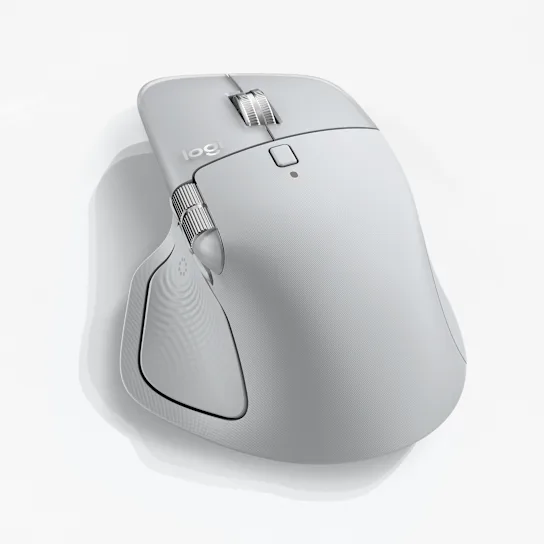
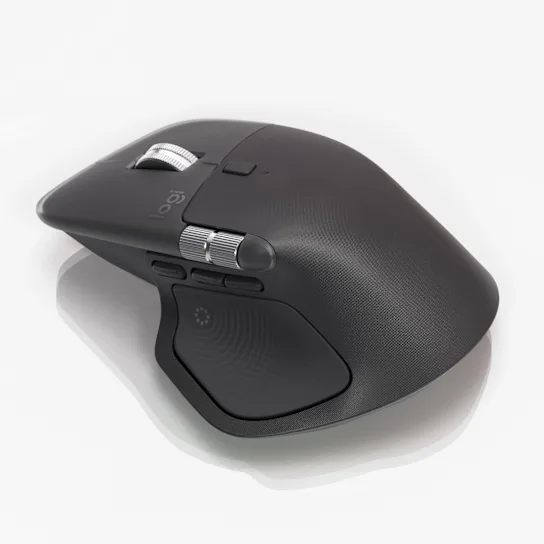
Logitech introduced the Actions Ring, a customizable radial menu accessible from the thumb area.
Users can assign:
- Photoshop tools
- Excel commands
- Screen recording shortcuts
- AI assistants
- Media controls
- Device switching functions
The Actions Ring significantly reduces repetitive mouse movement and can speed up common tasks across applications.
3. Enhanced Connectivity
The MX Master 4 features:
- Bluetooth connectivity
- Logi Bolt support
- Multi-device pairing
- Improved antenna design
- Faster connection stability
Users can seamlessly switch between up to three devices, making it ideal for professionals working across Windows, macOS, Linux, and tablets.
4. Precision Tracking
The MX Master 4 continues Logitech’s tradition of high-precision tracking with:
- 8,000 DPI sensor
- Glass-surface compatibility
- Accurate cursor control
- Smooth navigation across multiple displays
This level of precision is especially valuable for designers, engineers, and video editors.
Ergonomic Design for All-Day Comfort
One of the strongest reasons professionals choose the MX Master lineup is comfort.
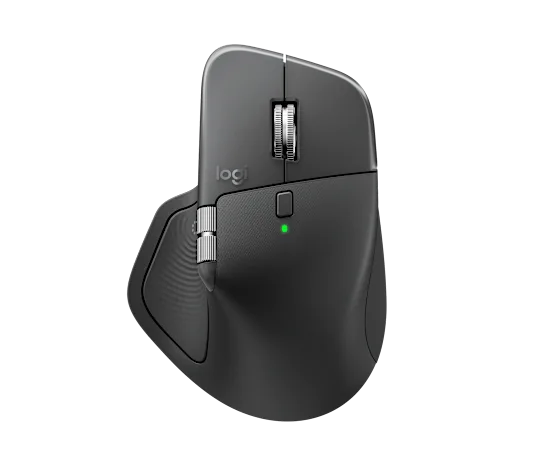
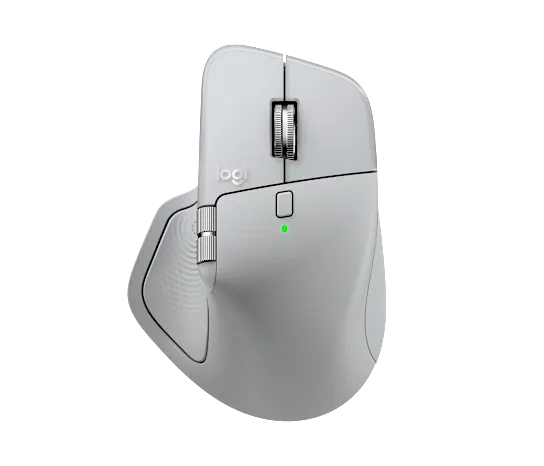
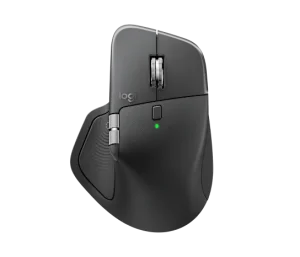
The MX Master 4 retains the sculpted right-handed ergonomic shape that supports the hand naturally during long work sessions.
Benefits include:
- Reduced wrist strain
- Better thumb support
- Natural finger placement
- Comfortable extended use
For users who spend eight or more hours daily at a computer, ergonomics alone can justify the investment.
Battery Life
Battery life remains a major strength.
The MX Master 4 delivers:
- Up to 70 days on a full charge
- USB-C charging
- Quick-charge support
Even with the addition of haptic feedback technology, Logitech has maintained impressive battery performance.
Logitech MX Master 4 vs MX Master 3S
| Feature | MX Master 3S | MX Master 4 |
|---|
| Haptic Feedback | No | Yes |
| Actions Ring | No | Yes |
| Connectivity | Excellent | Improved |
| Sensor | 8K DPI | 8K DPI |
| Multi-Device Support | Yes | Yes |
| Battery Life | Excellent | Excellent |
| Customization | Advanced | More Advanced |
The MX Master 4 isn’t a complete redesign. Instead, it introduces thoughtful upgrades that enhance productivity while preserving everything users loved about previous models.
Best Use Cases for MX Master 4
Software Developers
- Navigate codebases faster
- Create custom shortcuts
- Switch between devices instantly
Video Editors
- Timeline scrubbing
- Precision control
- Workflow automation
Graphic Designers
- Accurate tracking
- Custom creative shortcuts
- Enhanced navigation
Data Analysts
- Faster spreadsheet workflows
- Multi-monitor productivity
- Improved control in complex dashboards
Remote Workers
- Seamless device switching
- Comfortable all-day use
- Reliable connectivity
Pros and Cons
Pros
✅ Excellent ergonomic design
✅ Innovative haptic feedback
✅ Powerful Actions Ring customization
✅ Premium build quality
✅ Multi-device support
✅ Long battery life
✅ High-precision tracking
Cons
❌ Premium price point
❌ Slightly heavier than some competitors
❌ Existing MX Master 3S users may find the upgrade incremental rather than revolutionary
Is the Logitech MX Master 4 Worth Buying?
The Logitech MX Master 4 is arguably the most capable productivity mouse available today. Its combination of ergonomic comfort, advanced customization, haptic feedback, and multi-device functionality makes it a top choice for professionals who spend significant time at a computer.
If you’re upgrading from an older mouse, the MX Master 4 is an easy recommendation. If you already own an MX Master 3S, the decision depends on how much you value the new haptic feedback and workflow enhancements. For new buyers, however, the MX Master 4 represents the best version of Logitech’s flagship productivity mouse to date.


 Pick up from the PCModNepal Store



 Pick up from the PCModNepal Store
  Courier delivery




Reviews
Clear filtersThere are no reviews yet.